AI Anywhere
your AI, one right-click away
Right-click any text → opens sidebar with your AI and pastes the text → get instant explanations.
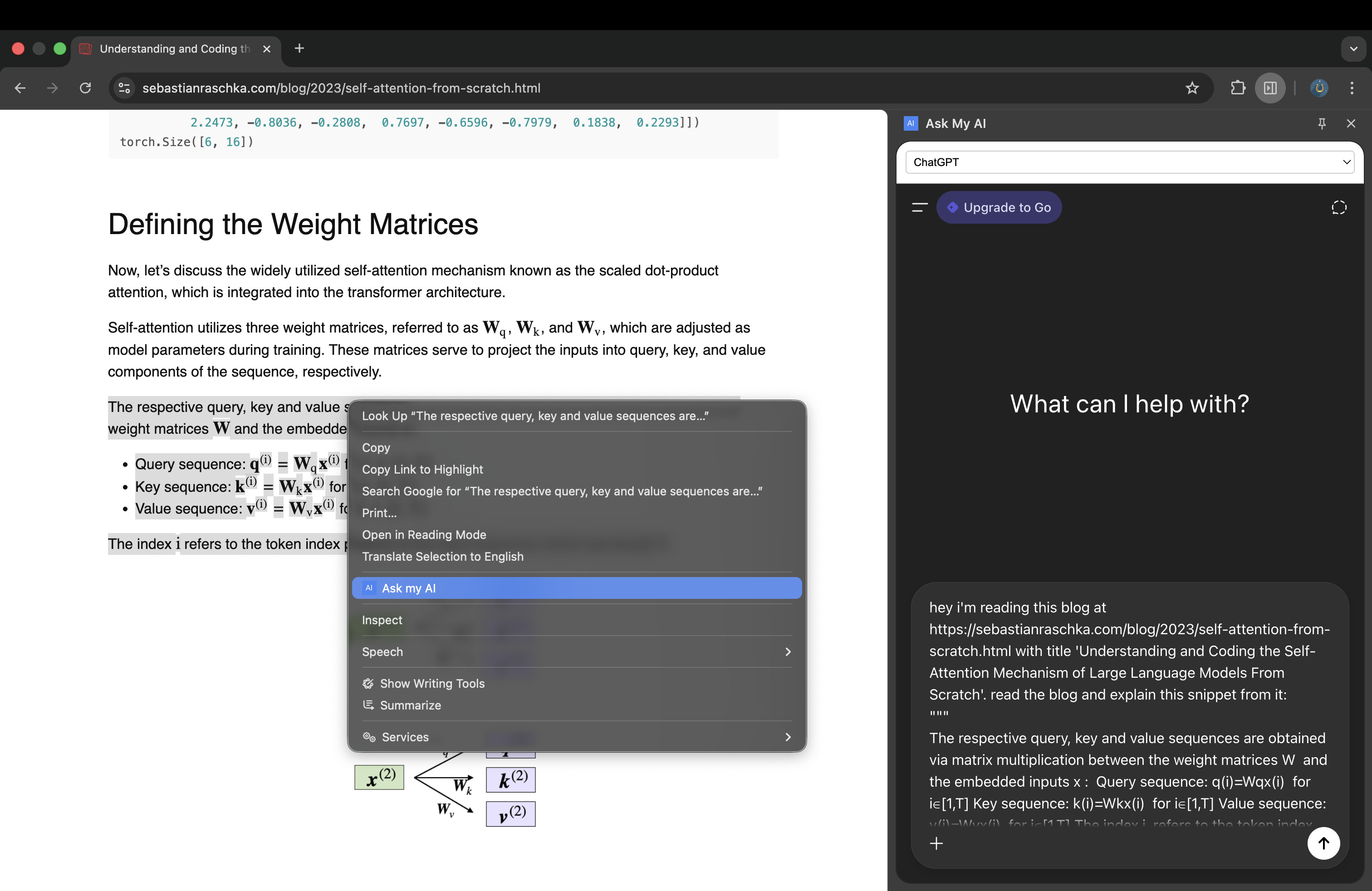
How it Works
- Select any text on a webpage
- Right-click → "AI Anywhere"
- Sidebar opens with your preferred AI (ChatGPT, Claude, Gemini, etc.)
- Text is sent for instant explanation
✅ Uses your existing AI accounts
✅ Free & open source
✅ Zero data collection
Supported Platforms
- ChatGPT
- Claude
- Google Gemini
- Scira AI
- DeepSeek Chat
Installation
- Clone the GitHub repo
- Go to
chrome://extensions/ - Enable Developer Mode
- Click "Load unpacked" → select the extension folder
Chrome Web Store version coming soon :)