hey read this page
turn any page into a listening experience
A private, on-device Chrome extension that reads the page you are on aloud, with natural-sounding local speech.
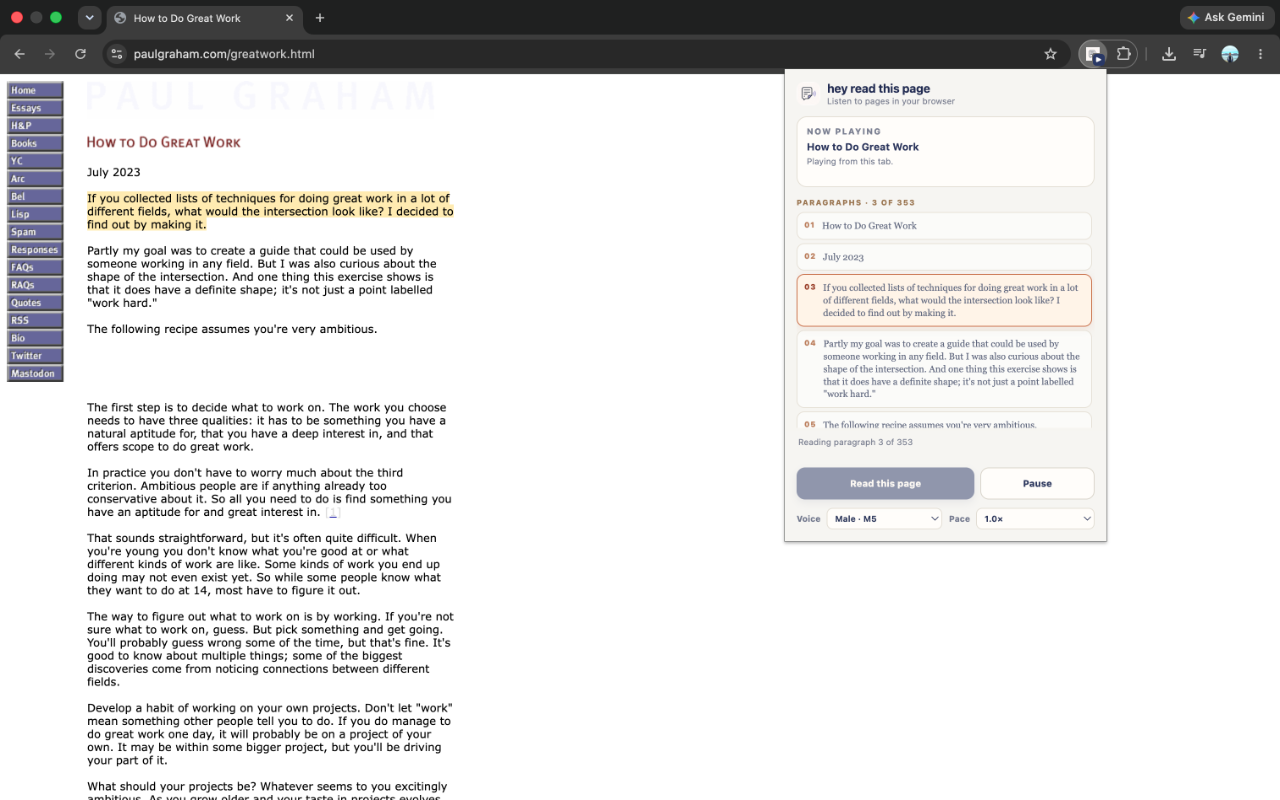
How it Works
- Open any article or webpage in Chrome
- Open hey read this page from the toolbar
- Choose a voice and pace, then select Read this page
- Follow along as the current paragraph is highlighted
✅ Runs on your device
✅ Reads paragraph by paragraph
✅ Continues playing when the popup closes
Made for Reading
- Natural local voices, powered by Supertonic 3
- Ten voice options and adjustable pace
- Pause, resume, or jump to any paragraph
- A focused queue that keeps your place
Privacy First
Page text is processed locally in your browser to generate speech. We do not run a service, collect analytics, or send your reading data to us.